5 Steps to a Great Blog

I’m not an expert in blogging, but I am a blogger. Two years ago I started this blog knowing very little about blogging. Over time, I’ve learned a few things – either through research or through feedback.

Thanks to everyone who has shared with me what they like and don’t like. It helps me shape future blogs. So here are my 5 steps –

1) Write a great headline: This one is tricky for me because when I was in the newspaper business I relied on copywriters for this. Also, if I write a clever headline that draws you in, it might not have any value for SEO, or search. I do want people to be able to find my blog from an Internet search. I probably spend half as much time on the headline as I do on the blog.

2) Write short: I’ve heard often that what my readers particularly like is that they can read it quickly and come away with a nugget of information. That’s my goal. It often means that I’m reading a 15-page report and culling out those nuggets. It’s worth it. In general, keeping a post under 1,000 words is a good rule of thumb. Keeping it between 500-800 words is ideal. I try to keep mine under 500 words.

3) Make a list: Blogs that include lists – like this one – are popular because they give a clear reason to read to the end. The key points also are easy to identify.

4) Include multimedia: I’ve only just started adding video to my blogs. I’m really looking forward to the NFPW conference in September so I can conduct several video interviews for future posts. I try to always include a photo because when I do, readership shoots up. Of course, that requires planning. It also means I can be creative with my images and play with my digital camera. Videos, photos and graphics all make the blog visually attractive.

5) Include links: I am not an expert on the subjects that I discuss. I am someone who does a lot of research so whenever possible I include links to others who cover the same topic.

Thanks for reading and sharing your views about my blog.

The Big Game: When Athletics Shine the Spotlight on a University

When Virginia Commonwealth University’s basketball team kept advancing in the NCAA basketball  tournament this past spring, the communications team managed it as a crisis.

It was a good crisis, but it was still a crisis,” said Pam Lepley, executive director, Division of University Relations at VCU. “Treating it like a crisis enabled us to streamline our decision making process.”

Promoting the team’s athletic success happened naturally. But this was also a time for VCU to shine and to highlight its academics and gain additional donor support. That meant that many departments were involved in communications efforts, including Student Affairs, Business Services, IT,  Alumni Relations, Development and Police.

“It was one wild world,” said Anne Buckley, director of communications and public relations for VCU. “It was exhilarating, exhausting, extreme…. It was every ‘X’ word.”

“This was an opportunity to highlight messages that are often ignored,” Anne said. One story that was placed during this time was about VCU’s diversity.

In the first quarter of this year, the school had about 14,000 media placements. During the 27-day period surrounding the tournament, VCU received 11,200 media placements, which they estimated had a total ad value of $15.5 million.

The excitement around the Rams journey to the Final Four also met a much larger presence on social media platforms. Three people were assigned to social media around the clock. The school’s Twitter presence increased 7, 551 percent!

VCU placed 20 home page features on its website during the period. “We reached ‘volcanic’ status in Google trends,” Pam noted.

The communications team also was diligent in capturing all of the moments and created a digital archive.

“Certainly the VCU team was a champion,” Pam said. “University wide, the communications teams were champions, too.”

Preparation Key to Successful Interview, Presentation

In my last job, I was frequently interviewed by television reporters, and I thought nothing of it.

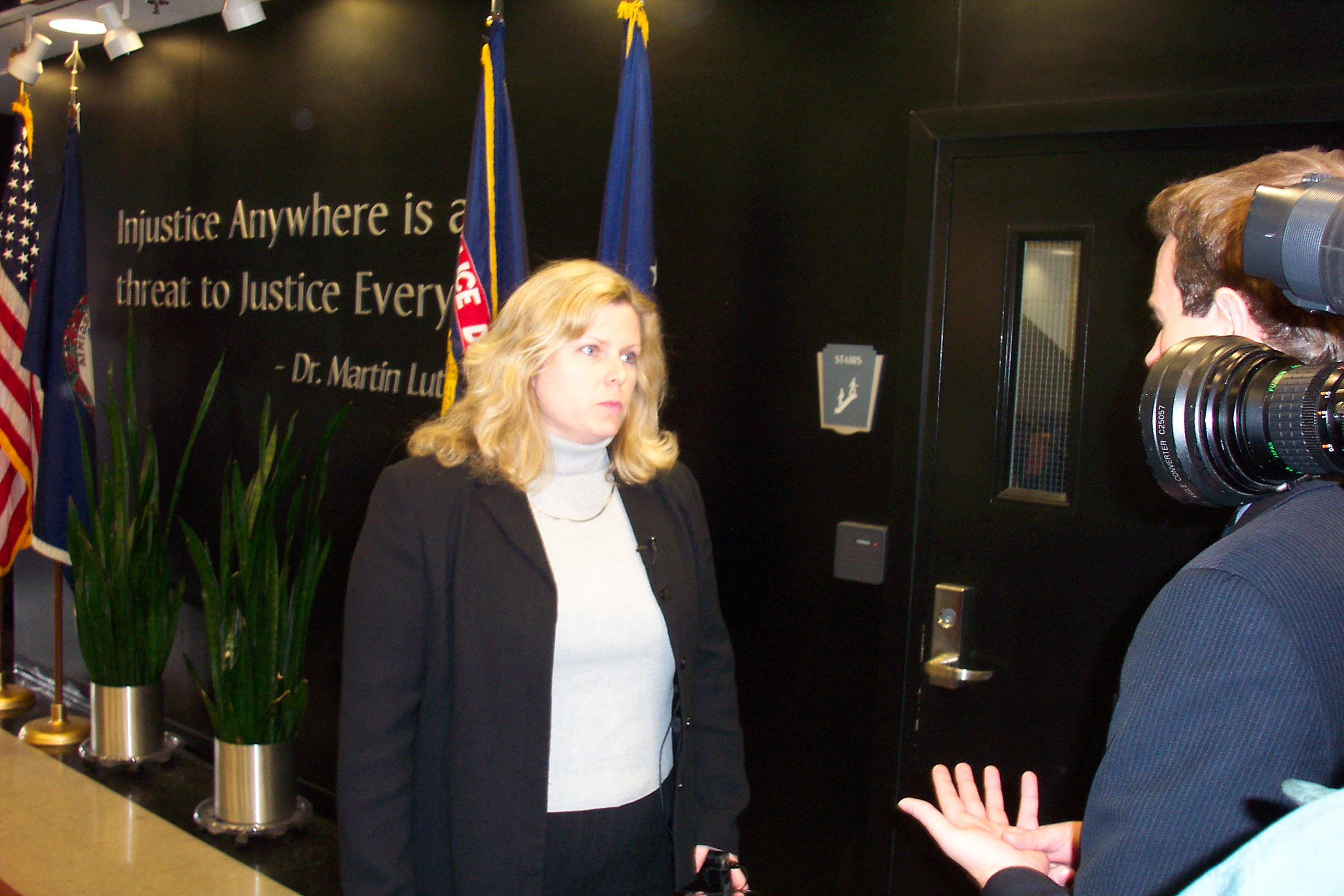
Interview with 'Inside Edition' a few years ago.

Earlier this week, I gave an on-air interview for a cool project with my current job. I confess I was a bit nervous, but once the interview began, the butterflies left because I had done my prep work.

Whether you are going to be interviewed by a reporter or will be making a presentation for work be sure you’ve done your homework. Here’s what you need to consider:

  1. Audience or interviewer
  2. Message points
  3. Length of presentation or interview

Audience or interviewer: Who will hear your presentation? If it’s your board or executive team you will want to provide the highlights and the key take away. If it’s colleagues, you may want to share the process and lessons learned. In my case, I was speaking with a reporter so I did some background on the reporter to find out the types of stories she covers and her approach to interviewing. Because it was a morning show and I knew the reporter, I knew it would be straight forward and conversational with no surprises.

Message points: What are the key messages you want your audience to hear? Take the time to write them out so that when you are speaking or being interviewed they are firmly in your mind. During my interview, the reporter simply asked me to tell her about the campaign. Because I had already thought through my message points I was able to deliver on the three key points I wanted to make.

Length of presentation or interview: How long will you have to present or how long will the interview be? This determines the amount of preparation that you will need. One caveat, though, is to always over prepare. I try to anticipate all questions that will be asked. That way I’m ready for anything.

I Have 24 Hours in the Day, Right?

I don’t think I’m alone when I say that I have too much to do and not enough hours in the day.

In a recent post I discussed creating successful check lists. In this one, my focus is on identifying priorities. For example, my top 3 priorities for the summer for NFPW are

  1. Complete a leadership manual
  2. Prepare the board agenda
  3. Enhance the contest

 Now that I know my priorities I can determine how best to spend my time. In preparing this blog, I also listed my top 3 priorities for work and for me.

And then the reckoning arrived. I examined where I was spending my waking time. All of this occurred because when I came home from the office I listened to a webinar by Lisa Baker on “Where Does My Time Go?” One of the things she directed listeners to do was to identify the top three areas where time was spent.

After I listed those I realized I was not spending my time where I wanted to so I’ve reprioritized. One of the things I’m giving up is my relaxation in front of the television. Instead of watching the Food Network and HGTV, I’m going to get additional time in at the gym and work on my NFPW priorities. This way I’ll have plenty of time for my priorities.

How are you spending your time and is it aligned with your priorities?

5 Steps to Writing a Successful To-Do List

I’m a list maker. I even put obvious tasks on it just so I can have the pleasure of crossing it off. Lists keep me organized and help me relax because I no longer have to remember the items. More importantly, they keep me moving forward.

Sometimes, though, my To Do List ends up with a project or a goal on it, and they don’t belong on a To Do List. So what can you do to make your To-Do List a success?

Try these steps:

  1. Create project lists and goal lists so you don’t lose sight of them.
  2. Add the initial items that you need to get your project or goals started to your to-do list.
  3. Break down to-do’s into small, manageable tasks. For example, when I’m working in the garden, my list includes weed, trim, plant. That way when I finish weeding I can cross it off and know that I am making progress.
  4. Purge your list. If an item appears day after day, determine if you need to do it all. If not, cross it off. 
  5. Track your items using whatever system works for you. I keep a small notebook with me so that I can always add and delete. I used to use single sheets of paper until I realized I was always losing the paper.

Good luck!