Do You Know Quora?

I’d never heard of Quora until I attended a luncheon where social media was the topic. And the hot topic was Quora. The next day I saw several articles about it.
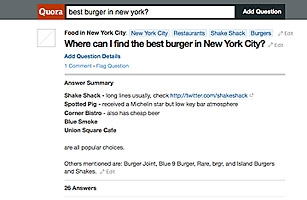
So what is it? Founded by two former Facebook bigwigs, it opened to the public in June 2010. The Q&A site isn’t yet a household name, but it’s fun (caveat: you can lose a lot of time on the site as I did today, but it was all for research!).

It is reminiscent of AskMe and other similar sites a decade or so ago. You post questions and answers on any topic and search for ones that have already been posted. You can follow other members (like Twitter). And you can vote if you like or don’t like an answer.  

As with Facebook, it seems to be popular because of the sense of community. And you can feel smart when you answer a question, or even post one.

Of course, you also might feel excluded when no one answers your question, which happens.

My logical first step was to read the answers to “How do I get started on Quora?” I learned –

  • Follow some topics that interest you.
  • Browse questions that interest you.
  • Add answers to questions you know about.
  • Improve question pages.
  • Find people you know who are already on Quora.

So for now I’m following some answers to questions about international travel, traveling smart and traveling to places that interest me.

Do you need to be here? Nope. But it’s like the trendy restaurant in town. While it’s hip, you want to get a table. So for now, I’m going to spend some time on Quora. I may even ask about the best new restaurants in my town.

Maximizing Your LinkedIn Profile

Often described as the social networking site for professionals, LinkedIn is a great way to connect with others in your profession.

On Feb. 13 I wrote about how to get started on LinkedIn. Now that you have established your profile, what else can you do?

The first thing is to join groups related to topics of interest to you and to network with others in your field. NFPW has a group, and if you haven’t already connected to us, we encourage you to join.  Membership is only open to those who have paid their dues. We’ve had to limit it to avoid marketing pushes by those who aren’t members.

To find other groups, visit LinkedIn Groups Directory.

Participating in a group by asking questions or responding to a question also helps build your reputation and provides you with valuable information. Also, if you have a job opening, share it with relevant groups. You’ll reach your target audience. The best part is it’s free.

What else can you do on LinkedIn?

  • Reading List by Amazon. According to the site, you can, “extend your professional profile by sharing the books you’re reading with other LinkedIn members. Find out what you should be reading by following updates from your connections, people in your field, or other LinkedIn members of professional interest to you.


  • Company Buzz lets you know what people are saying about your company. It shows you the twitter activity associated with your company.


  • My Travel by Tripit is a great way to know when those in your LinkedIn network are traveling and when you will be in the same city as your colleagues. I’ve learned about colleagues being in a nearby city and have been able to connect for dinner and a bit of networking. Just be aware that it also lets others know when you aren’t at home. 


  • SlideShare Presentation allows you to upload and display your own presentations and check out presentations from your colleagues. Lynn Hazan, who presented at the NFPW conference in Chicago shared her presentation using SlideShare.

How are you maximizing your LinkedIn profile?

Getting Started on LinkedIn

According to the LinkedIn site, “Over 90 million professionals use LinkedIn to exchange information, ideas and opportunities.”

Why should you use it? It’s a great online resume if you are job hunting. It lets you connect to business partners and current and former colleagues.  LinkedIn says you can find the people and knowledge that you need to achieve your goals. And you control your professional identity online.

Getting Started If you aren’t on it, it’s easy to get started — go to www.Linkedin.com. Enter your name and email address and create a password. Now you are on LinkedIn.

Complete Profile You’re going to want to create a profile that is 100 percent complete. LinkedIn makes that easy by informing you how you are progressing. Start by adding your current position. Then add at least your two past positions. Include details about your education. Write a summary of your background/experiences.

Profile Photo Add a professional photograph so that people can identify and connect with you. If you introduced yourself to a dozen people at a conference, your photo will help them remember the conversation.

Build Your Network Then begin building your network of relevant connections. You can grow your list of LinkedIn connections through webmail contacts (email contacts who are already on LinkedIn), colleagues and classmates, and through networking on LinkedIn groups.

Recommendations Recommendations are an important part of your LinkedIn profile. LinkedIn suggests that users with recommendations are three times as likely to get inquiries through LinkedIn searches. To initiate a recommendation request, go to the Profile tab and select Recommendations. There you will find a list of your jobs and education and you can choose what you want to be recommended for, decide whom you’ll ask, create your customized message and send from within LinkedIn. Don’t hesitate to offer guidance on what you would like them to highlight in their recommendation. If possible, return the favor by recommending them.

Next time I’ll write about how to maximize your LinkedIn experience.

Avoiding Misspelled Names

If I misspelled a name in an assignment for my news writing professor in college, it was an automatic F. At the time, I thought that was highly unfair, although I can tell you I never misspelled a name.

Years later, I realize the value of that assignment. Spelling a person’s name incorrectly makes we wonder what else the reporter got wrong, and I lose trust in the reporter and the publication.

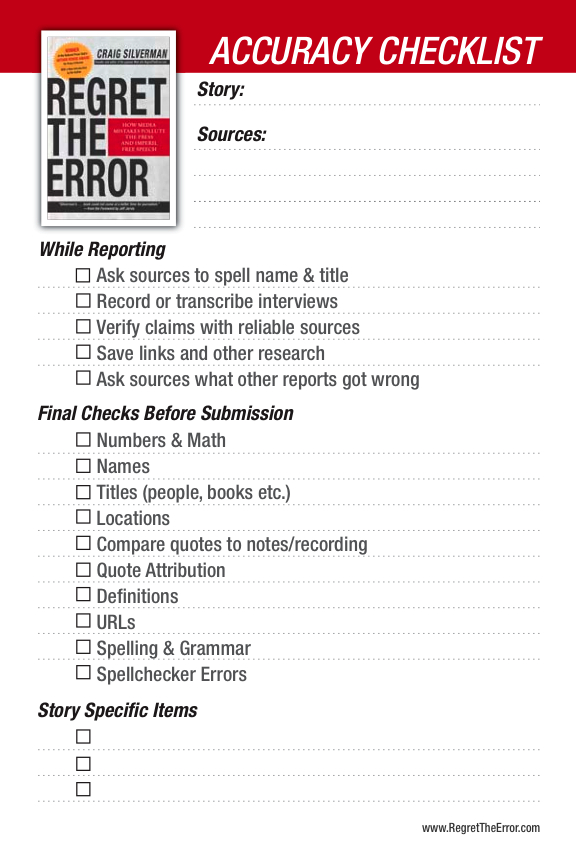
Craig Silverman, editor of “Regret the Error” said academic research shows that misspelled names are the sixth most common newspaper error. He has put together an accuracy checklist to help with these errors. He notes on his site, “Checklists help reporters and editors increase their level of accuracy.”

The first thing I always do when I interview someone is ask for their business card. I never assume the spelling of a name. I’ve interviewed people named “Smith” and “Smyth” and if I had not asked, I would have spelled the name incorrectly.

“It is one of the easiest things to verify and yet it’s one of the things journalists think about verifying the least,” Silverman said. “We use names on such a frequent basis that it’s the kind of thing that lends itself to assumptions.”

Don’t rely on other sources, either. Even The New York Times gets names wrong. It’s critical to do your own research.

If you’re quoting an online source, cut and paste the name into your story. Then you know you have it right.

People want to see accuracy. If you spell a person’s name wrong, the person is likely to think of you as lazy or sloppy, and that’s not the professional image you want to convey.

Taking extra time with names is critical. Just ask anyone who has ever seen their name misspelled.

Mobile Device Usage Up Big in 2010

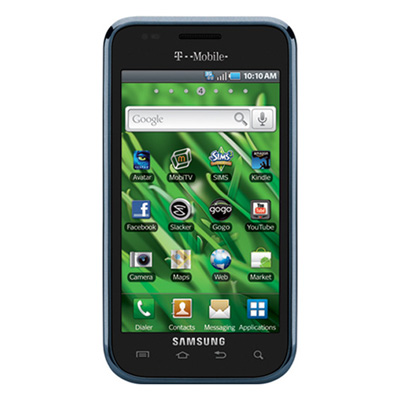
Opera’s November State of the Mobile Web report reflects on a year of growth for the mobile Internet, with users browsing an incredible 340 billion pages in the first 11 months of 2010. (Opera is a mobile web browser developer).

With more than 80 million users in November, the yearly trends reflect a user base spanning teenagers with smart phones in Western Europe to users of basic feature phones in developing countries.

And now NFPW is joining the trend. We have our own mobile website. In the next few weeks it will work so that if you type nfpw.org on your smart phone it will automatically know to go to the mobile site.

Why did we do this? Because those who are growing up with mobile are not going to take the time to go to a computer and then go to the NFPW website. This way we can keep our information visible to all members. Many companies have mobile sites, too. It’s still not clear how companies will be able to capitalize on mobile usage but they’ll have it figured out before long.

In the meantime, if you want to know more about mobile, here’s a link to the mobile trends for 2011.